Free PSD viewer — open a PSD file online, layer by layer
A free PSD viewer that runs in your browser: open a PSD file without Photoshop, see the whole design large, switch each layer on or off and save what you see as a PNG. The file is never uploaded.
- Shows the PSD’s size, colour mode, bit depth and resolution.
- Every layer is listed by name — switch one off to see what is under it.
- Save the picture, or any single layer, as a PNG.
Only have a flat image and need it the other way round, in layers? Image to layer splits it into a layered PSD.
Sample · App design
 background
 sidebar
 header
 stat cards
 chart card
 progress card
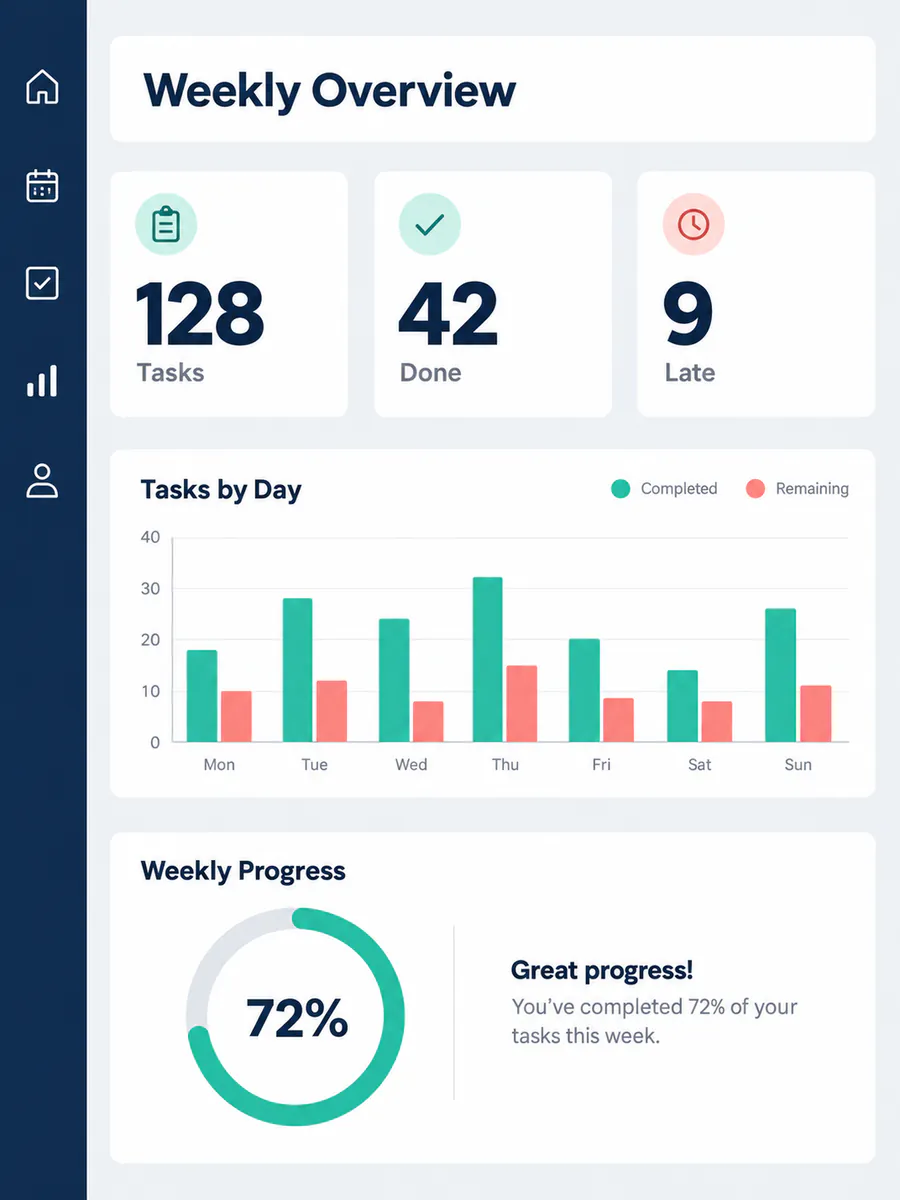
A PSD holds the picture and its 6 layers: see the picture, switch any layer off, and save what you see as a PNG.
Your layers open in the tools you already use








Examples
What a PSD viewer shows you inside the file
What a flat image turns into: the stack on the left, every layer on the right. Download the sample as a layered PSD and open it yourself.
App design
A dashboard design from a designer, in six layers. Open the PSD file in the PSD viewer and check the sidebar, the header and each card on its own before you build the screen.
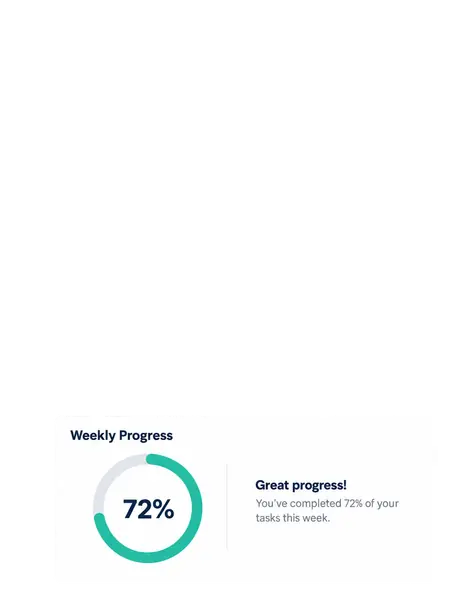
- progress cardprogress ring card at 72%
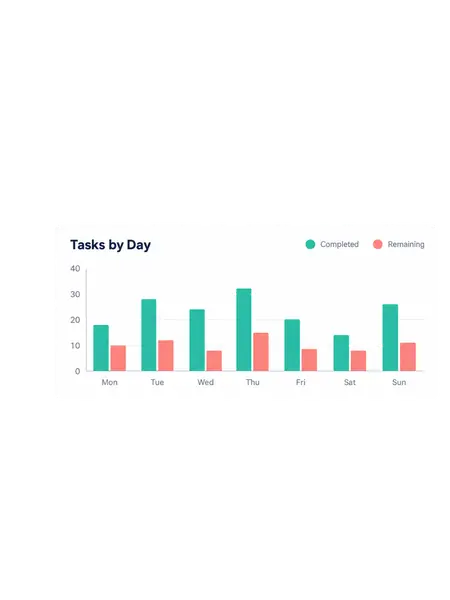
- chart cardbar chart card in teal and coral
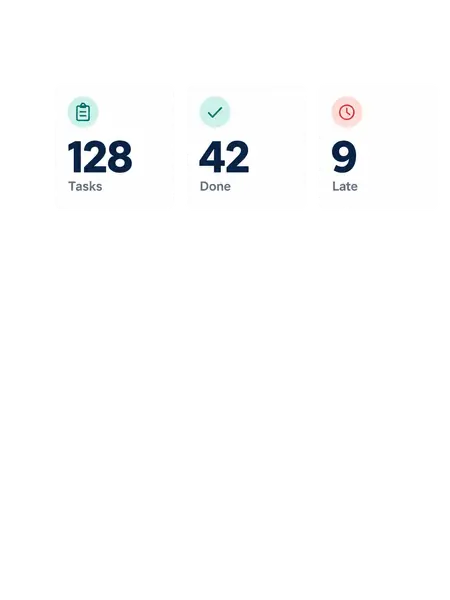
- stat cardsthree stat cards: 128 tasks, 42 done, 9 late
- headerwhite header bar with the Weekly Overview title
- sidebarnavy sidebar with five line icons
- backgroundlight grey app background, rebuilt behind the panels
6 named layers, built in your browser as a standard PSD for Photoshop, Photopea and GIMP.
Inside a PSD file
What you see when you open a PSD file
A PSD file is Photoshop’s own format: a picture, every layer that builds it, and settings only Photoshop reads. Here is what a PSD viewer can show from each — and what it cannot.
 original
 hill
 fox
 paper boat
Every layer, on or off
Layers are listed top first, as in Photoshop’s Layers panel, with groups opened up. Hidden layers start switched off. Click the eye beside any layer to show or hide it and the picture redraws — the quickest way to see what a PSD file is made of.
Each layer also saves as a PNG on the full canvas, in place, so the parts stack back together in any editor.
The picture, exactly as it was saved
When "Maximize PSD and PSB File Compatibility" is on — Photoshop’s default — the PSD file carries a flattened copy of the design. The PSD viewer shows that copy, so you see what the designer saw, layer styles and blend modes included.
A PSD saved without it has no stored picture, so the viewer rebuilds it from the visible layers and their opacity, and tells you blend modes and effects are missing.
Size, colour mode and resolution
Under the picture the PSD viewer lists the width and height in pixels, the colour mode (RGB, CMYK or Grayscale), the bit depth and the resolution in pixels per inch — what a printer or a developer usually asks about a file.
A CMYK file is shown on screen in RGB, so its colours can look brighter than they will print.
Text, smart objects and effects
Text layers and smart objects appear as they last looked in Photoshop. You do not need the fonts to view a PSD file, but the words cannot be edited here — for that, open the file in Photoshop, Photopea or GIMP.
How it works
How to open a PSD file online
 fernway-dashboard-screenshot.png
Drop the PSD file
From Photoshop, Photopea, GIMP or Affinity — it opens in your browser tab.
- Sample · 6 layers



Look through the layers
The PSD viewer shows the picture large — open it full size, and switch any layer on or off.
- PSDfernway-dashboard-screenshot.psdSample
- progress card
- chart card
- stat cards
- header
- +2 more
Save what you need
The picture as you see it, or any single layer, as a PNG.
Who it is for
Who needs a PSD viewer
Clients who received a PSD
A designer sent the PSD file and your computer will not open it. Look at the design and every layer in this PSD viewer, without installing anything.
Developers building from a design
Check sizes and layers in a PSD mockup and save the assets you need as PNGs, without Photoshop.
Print shops and printers
The PSD viewer shows the size, resolution and colour mode of a customer’s PSD file before it goes to print.
Students and learners
Open a PSD template in the PSD viewer and switch layers off one by one to see how the design was built.
A PSD viewer, a converter, or a layer splitter
This PSD viewer is for looking: open the file, check the layers, take a PNG. To hand a PSD on as one file, the PSD to PNG and PSD to PDF converters do it in one click. And when all you have is a flat image, image to layer splits it into a new layered PSD with AI.
Viewer: the picture and its layers on screen
- Layer 1
Converter: the picture or each layer as a fileSample
- progress card
- chart card
- stat cards
- header
- sidebar
- background
FAQ
PSD viewer questions
Open your PSD file now.
It opens in this free PSD viewer, in your browser, and is never uploaded.
Choose a PSD