Qwen Image Layered online — no GPU, no install, a layered PSD out
Use Qwen Image Layered, the open-source layer decomposition model from Alibaba’s Qwen team, right in your browser: upload an image and get it back as separate RGBA layers in a layered PSD. No GPU, no ComfyUI and no 20-billion-parameter download.
Drop an image here
JPG, PNG or WebP · up to 10 MB
- Runs the open Qwen-Image-Layered weights in the cloud — nothing to install.
- 2 to 8 layers per run, and any layer can be split again.
- Layers download as a layered PSD or transparent PNGs.
Only need the file format? Once you choose an image you can save it as a single-layer PSD, made in your browser.
Sample · Character art
 background
 character
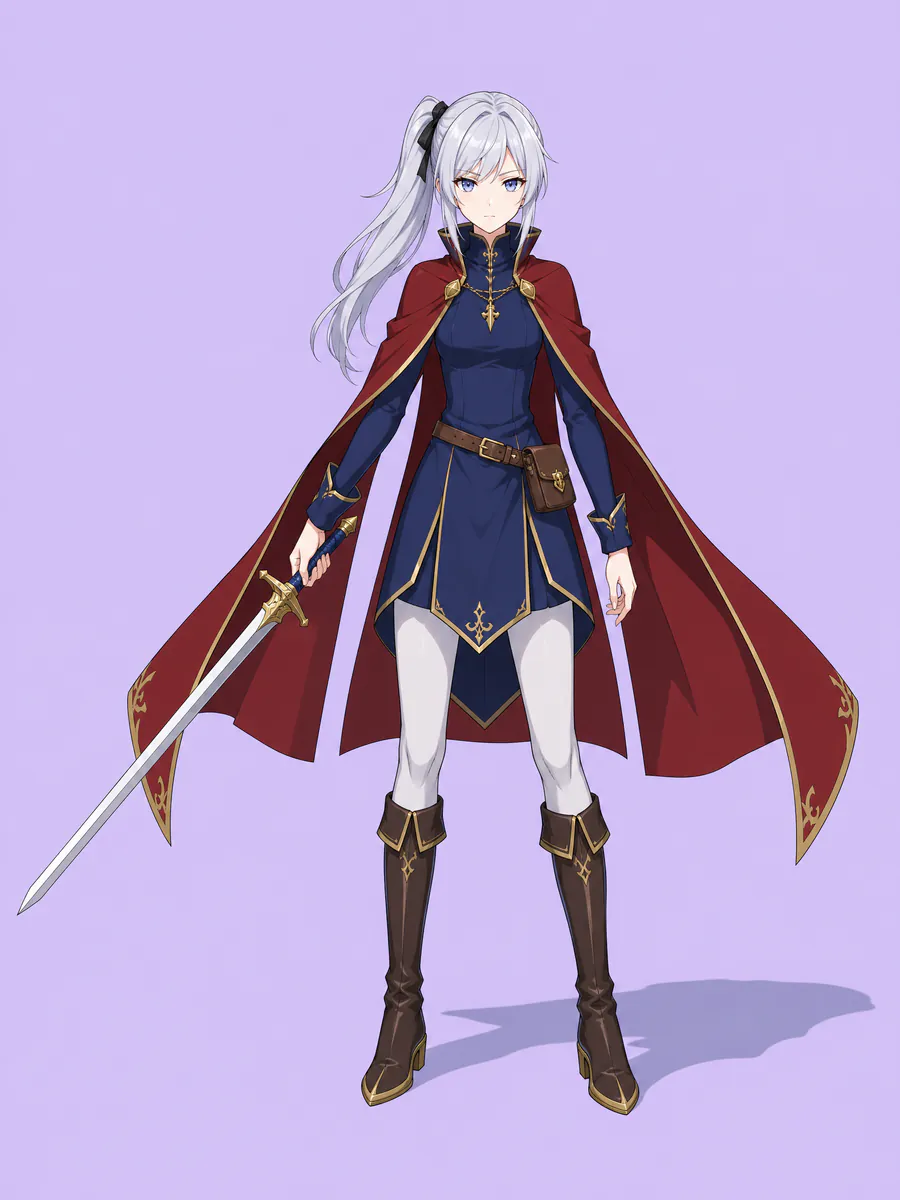
One image in, 2 transparent layers out — every one on the original canvas, so they stack back into the picture.
Your layers open in the tools you already use





Examples
Qwen Image Layered results, layer by layer
What a flat image turns into: the stack on the left, every layer on the right. Download the sample as a layered PSD and open it yourself.
Character art
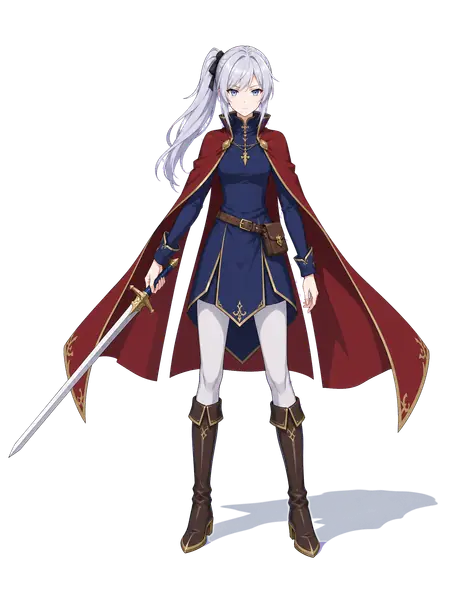
A swordswoman on a flat field: the model takes her off as one layer and paints the lavender field in behind her.
- characterswordswoman in a crimson cloak: hair, outfit, cloak and sword on one layer
- backgroundflat lavender field, rebuilt behind the character
2 named layers, built in your browser as a standard PSD for Photoshop, Photopea and GIMP.
The model
What Qwen Image Layered does
Qwen-Image-Layered was released as open weights in December 2025 under the Apache-2.0 licence. It does one job: decompose a flat image into a stack of RGBA layers, each with its own transparency.
originalbackground · filled inLayers, not a cut-out
A background remover hands you one cut-out. Qwen Image Layered returns several full-canvas layers — subject, text, decoration, background — and fills in what each layer used to hide, so the stack recombines into the original picture.
 original
 midground
 people
 foreground
Split a layer again
Decomposition is recursive: any layer can be decomposed again. When a busy layer still holds several things, split that layer once more instead of starting over.
You choose how many layers
The model is not tied to a fixed layer count; its model card splits the same picture into three layers or into eight. Here a run returns 2 to 8 layers on a plan, or up to 4 with a credit pack.
Text stays pixels
Text is separated onto its own layer, but as pixels, not as editable type. To change a word, delete that layer and set new type in Photoshop — the AI image to PSD page walks through it.
Running Qwen Image Layered yourself, or here
Both use the same open model. The difference is everything you have to set up first.
| Self-hosted (Diffusers or ComfyUI) | Image to Layers | |
|---|---|---|
| Hardware | A CUDA GPU with room for a 20B-parameter model, or a quantized build | None — it runs in the cloud |
| Setup | Python, Diffusers or a ComfyUI workflow, and the model download | Upload an image in the browser |
| Layer count | Any, set in code | 2–8 per run |
| Output | PNG files from your script | Layered PSD, transparent PNGs or a ZIP |
| Cost | Your own hardware and power | 10 credits per run |
Model facts from the Qwen-Image-Layered model card on Hugging Face (Apache-2.0, 20B parameters, paper arXiv 2512.15603, December 2025).
How it works
How to use Qwen Image Layered online
 anime-character.png
Upload an image
A JPG, PNG or WebP — a poster, an illustration, a product shot.
- Sample · 2 layers
Choose the number of layers
From 2 to 8; the model returns full-canvas RGBA layers.
- PSDanime-character.psdSample
- character
- background
Download the layers
As a layered PSD for Photoshop, Photopea or GIMP, or as transparent PNGs.
Who it is for
Who uses the model online
Designers without a big GPU
The model needs far more graphics memory than most laptops have. Use it here and get the layers straight into a PSD.
People trying the model first
See what the model does with your own images before you build a ComfyUI workflow or a Diffusers pipeline around it.
Illustrators and AI artists
Pull characters, props and backgrounds apart for compositing, parallax or a new layout.
Motion and game artists
Depth layers and separate characters for animation, with the background filled in behind them.
One flat image, or Qwen Image Layered layers
A flat image is one layer however you save it. The model is what turns it into a stack you can edit part by part — and image to layer is the tool on this site that runs it, with the PSD export built in.
Flat image: everything on one layer
- Layer 1
Model output: each part on its own layerSample
- character
- background
FAQ
Qwen Image Layered questions
Related tools
- Image to LayerSplit any image into editable layers
- AI image to PSD with layersChatGPT and Midjourney images — fix a word, move a part
- How to separate an image into layersBy hand in Photoshop or GIMP, or in one step with AI
- Canva Magic Layers alternativeThe same split, with the layers downloaded as PSD or PNG
Try Qwen Image Layered on your own image.
Or save it as a single-layer PSD right now — it never leaves your browser.
Choose an image